Understanding the Specs: A Comprehensive Guide to Computer & Notebook Terminology In today’s digital age, understanding the terminology associated with computers and notebooks is crucial. Wh.
braziltechtoday.comBrazil tech news and digital trends.
“Understanding the Specs: A Comprehensive Guide to Computer & Notebook Terminology”
Updated: April 8, 2026
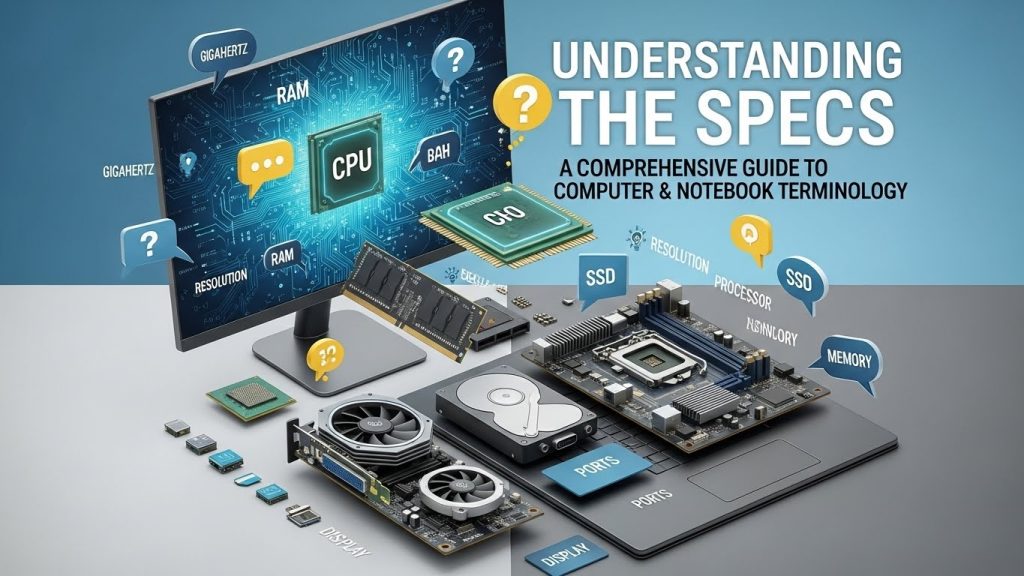
Understanding the Specs: A Comprehensive Guide to Computer & Notebook Terminology
In today’s digital age, understanding the terminology associated with computers and notebooks is crucial. Whether you’re a tech enthusiast, a gamer, or a professional looking to make an informed purchase, knowing the specifics of computer components can significantly enhance your decision-making process. This guide aims to break down the fundamental specs and terms you need to know.
Central Processing Unit (CPU)
The CPU, often referred to as the “brain” of the computer, is responsible for executing instructions from programs. The performance of a CPU is determined by several factors:
- Cores: Modern CPUs have multiple cores, allowing them to handle multiple tasks simultaneously. For example, a quad-core processor can perform four operations at once.
- Clock Speed: Measured in gigahertz (GHz), this indicates how many cycles per second the CPU can execute. Higher clock speeds generally mean faster performance.
To understand more about how CPUs work, you can explore this in-depth article on CPUs.
Random Access Memory (RAM)
RAM is critical for the speed and performance of a computer. It temporarily stores data that the CPU uses for running applications and games. More RAM allows for more applications to run simultaneously without slowing down the system.
- DDR Versions: DDR3, DDR4, and the latest DDR5 are different generations of RAM technology, with each being faster and more efficient than its predecessor.
- Capacity: Measured in gigabytes (GB), typical configurations range from 4GB for basic tasks to 32GB or more for high-end gaming and professional software.
Storage: HDD vs. SSD

Storage devices hold your data permanently. The two main types are:
- Hard Disk Drive (HDD): Uses spinning disks to read/write data. They offer more storage for less cost but are slower and more prone to damage from physical impacts.
- Solid State Drive (SSD): Uses flash memory, providing faster data access speeds and greater reliability, though at a higher cost per gigabyte.
For more details, check out this comparison guide between SSDs and HDDs.
Graphics Processing Unit (GPU)
The GPU handles rendering images, animations, and videos. It’s especially important for gaming, video editing, and graphic design.
- Integrated vs. Dedicated: Integrated GPUs share memory with the CPU, while dedicated GPUs have their own memory (VRAM), delivering better performance.
- VRAM: The amount of video RAM impacts the quality and resolution of graphics. Higher VRAM is essential for intensive graphics tasks.
Learn more about the role of GPUs in modern computing from this informative resource.
Display and Resolution
The display is a crucial component of notebooks, affecting how you see and interact with your computer.
- Resolution: Indicates the number of pixels on the screen. Common resolutions include Full HD (1920×1080), 4K (3840×2160), and the latest 8K for ultra-high definition.
- Refresh Rate: Measured in hertz (Hz), it indicates how many times per second the screen refreshes. Higher refresh rates (120Hz, 144Hz) provide smoother visuals, crucial for gaming.
Connectivity Options
Modern computers and notebooks come with various connectivity options:
- USB Ports: Including USB-A, USB-C, and Thunderbolt ports for connecting peripherals and transferring data.
- Wi-Fi and Bluetooth: Wireless technologies for internet connectivity and connecting wireless devices.
Understanding the types and speeds of these connections can be further explored in this detailed article on USB versions.
Battery Life and Portability
For notebooks, portability and battery life are key considerations. Battery life is measured in watt-hours (Wh), and higher values usually mean longer usage times. Additionally:
- Form Factor: Ultrabooks and light notebooks prioritize portability, often sacrificing some performance for longer battery life and lighter weight.
- Charging Options: Some notebooks support USB-C charging, providing more flexibility with power sources.
Operating System (OS)
The OS is the software that manages hardware and software resources. The most common operating systems are:
- Windows: Known for its user-friendly interface and compatibility with a wide range of software.
- macOS: Exclusive to Apple computers, praised for its seamless integration with other Apple products.
- Linux: An open-source OS favored by developers and tech enthusiasts for its flexibility and security.
Takeaways
Understanding computer and notebook terminology is essential for making informed decisions when purchasing or upgrading your device. Whether you’re focusing on processing power, storage solutions, or connectivity, each component plays a crucial role in the overall performance and usability of a computer. For further reading, you can explore this comprehensive guide on what to consider when buying a laptop.
Armed with this knowledge, you’re now better equipped to navigate the ever-evolving landscape of computers and notebooks, ensuring that your next tech investment is well-suited to your needs.
Future Trends in Computer & Notebook Technology
As technology continues to advance, several trends are emerging in the computing world that could redefine how we use computers and notebooks in the future. Staying informed about these trends can help you anticipate changes and make more strategic technology investments.
Artificial Intelligence and Machine Learning
Artificial Intelligence (AI) and Machine Learning (ML) are increasingly being integrated into modern computing systems. These technologies enable computers to learn from data, improving performance over time without explicit programming.
- Enhanced User Experience: AI-driven features in operating systems can provide personalized recommendations and automate routine tasks.
- Security Improvements: Machine learning algorithms can detect and respond to threats more quickly than traditional security measures.
Advancements in Battery Technology
Battery life remains a top concern for notebook users. Recent innovations focus on extending battery life and reducing charging times:
- Fast Charging: Technologies that allow batteries to charge more quickly without degrading their lifespan are becoming more common.
- Solid-State Batteries: Promising longer life and greater safety, solid-state batteries could replace traditional lithium-ion batteries in the coming years.
Quantum Computing
While still in the experimental stages, quantum computing holds the potential to revolutionize fields that require massive computational power. These computers use quantum bits, or qubits, to perform complex calculations at unprecedented speeds.
For more insights into this emerging technology, you can read this overview of quantum computing by IBM.
5G Connectivity
The rollout of 5G networks promises faster internet speeds and more reliable connections, which will significantly impact how we use computers and notebooks:
- Remote Work and Collaboration: Improved connectivity will facilitate smoother video conferencing and cloud-based work environments.
- Internet of Things (IoT): 5G will enable more devices to connect simultaneously, enhancing smart home and office setups.
Choosing the Right Computer or Notebook
When selecting a computer or notebook, consider your specific needs and how the specs align with your usage patterns:
- For Gamers: Look for a high-performance GPU, ample RAM, and a fast CPU to handle the latest games.
- For Professionals: A powerful CPU, sufficient RAM, and a high-resolution display are crucial for productivity tasks and creative work.
- For Casual Users: Basic tasks like browsing and streaming can be accomplished with mid-range specs, offering a balance between performance and cost.
Takeaways
Keeping up with computer and notebook terminology is an ongoing process, especially as new technologies and trends emerge. By understanding the key components and specifications, you can make informed decisions that align with your personal and professional needs. Whether you’re buying your first notebook or upgrading a desktop, this knowledge empowers you to choose devices that offer the best performance and value for your specific requirements.
For continuous learning and updates on the latest in technology, consider following resources like CNET for expert reviews and news on the latest tech developments.
Environmental Considerations and Sustainability
As the demand for computers and notebooks grows, so does the importance of considering their environmental impact. Manufacturers and consumers alike are becoming more aware of the need for sustainable practices in technology.
Eco-Friendly Manufacturing
Several companies are adopting eco-friendly materials and processes in their manufacturing operations. This includes using recycled materials, reducing hazardous substances, and designing products for easier recycling at the end of their lifecycle.
- Recycled Materials: Some manufacturers use recycled plastics and metals in their products, which helps reduce waste and conserve natural resources.
- Energy-Efficient Components: Incorporating components that require less power can significantly reduce a device’s carbon footprint over its lifetime.
Energy Star Certification
Energy Star is a program that certifies electronics that meet certain energy efficiency guidelines. Choosing Energy Star certified computers and notebooks can lead to lower energy consumption and cost savings.
For a better understanding of the Energy Star program and its benefits, you can explore their official site.
End-of-Life Recycling Programs
Recycling old computers and notebooks is crucial for minimizing electronic waste. Many companies offer take-back or recycling programs that ensure devices are disposed of responsibly.
- Trade-In Programs: These allow consumers to return old devices in exchange for credit towards new purchases, promoting a circular economy.
- Recycling Initiatives: Participating in local and manufacturer-led recycling programs ensures that valuable materials are recovered and reused.
Final Thoughts
Understanding computer and notebook terminology is a vital skill in today’s technology-driven world. This knowledge not only helps in making informed purchase decisions but also encourages mindfulness towards the environmental impact of our technological choices. As technology evolves, staying updated on the latest trends and sustainable practices will empower you to adapt and thrive in the digital landscape.
For those interested in diving deeper into sustainable technology practices, the Greenpeace electronics guide offers valuable insights and resources.
Engaging with these topics not only enhances your understanding of the tech world but also contributes to a more sustainable and efficient future for all.
Read More