How to Maximize the Life of Your Computer: Maintenance Tips for Notebooks In our increasingly digital world, notebooks have become indispensable tools for work, communication, and entertainm.
braziltechtoday.comBrazil tech news and digital trends.
“How to Maximize the Life of Your Computer: Maintenance Tips for Notebooks”
Updated: April 8, 2026
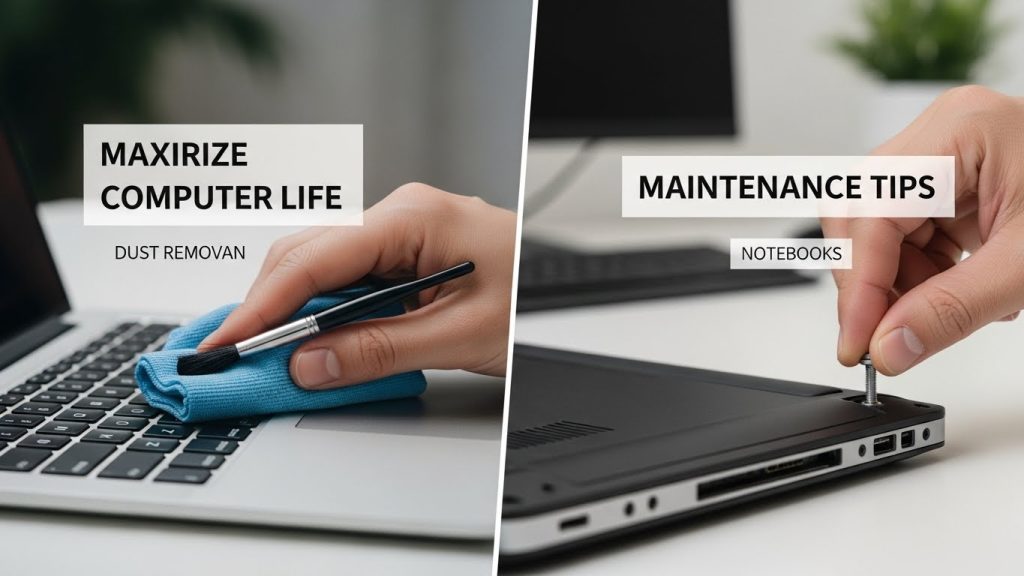
How to Maximize the Life of Your Computer: Maintenance Tips for Notebooks
In our increasingly digital world, notebooks have become indispensable tools for work, communication, and entertainment. However, like any piece of technology, they require regular maintenance to ensure optimal performance and longevity. Understanding how to properly care for your laptop can save you from unnecessary expenses and frustrations in the long run. This comprehensive guide will provide you with practical tips and strategies to maximize the life of your notebook.
Regular Cleaning and Dust Management
One of the most critical aspects of laptop maintenance is keeping the device clean, both internally and externally. Dust and debris can accumulate in the keyboard, ports, and ventilation system, which can lead to overheating and hardware failure.
- External Cleaning: Use a microfiber cloth to gently clean the screen and the body of the laptop. Avoid using harsh chemicals; instead, opt for specialized electronics cleaning solutions.
- Keyboard Maintenance: Turn your laptop upside down and gently shake it to dislodge any debris. For a deeper clean, use compressed air to blow out particles from between the keys.
- Internal Dust Removal: Every few months, consider opening the laptop to clean out the fans and internal components. This can prevent overheating and prolong the life of your device. If you’re not comfortable doing this yourself, seek professional help.
Battery Care and Optimization
The battery is a crucial component of your notebook, and its longevity is often a concern for many users. Here are some strategies to optimize your battery’s lifespan:
- Avoid Constant Charging: While it’s tempting to keep your laptop plugged in, constantly charging the battery can reduce its lifespan. Instead, allow it to discharge to around 20-30% before recharging.
- Calibrate Your Battery: Periodically calibrating your battery can help maintain its health. To do this, fully charge the battery, then let it discharge completely before recharging it fully again.
- Use Battery-Saving Modes: Most laptops come with power-saving settings that can be adjusted to extend battery life. Utilize these settings when you need to conserve power.

Software Maintenance and Updates
Keeping your software up-to-date is essential for both performance and security reasons. Regular updates can fix bugs, patch vulnerabilities, and improve the overall user experience.
- Operating System Updates: Ensure that your operating system is set to automatically update. This will keep your system protected from security threats and improve performance.
- Application Updates: Just like your OS, applications should be regularly updated. This includes web browsers, productivity software, and media players.
- Remove Unnecessary Software: Over time, you may accumulate software that you no longer use. Uninstalling these programs can free up valuable resources and improve performance.
Hardware Checks and Upgrades
Regular hardware checks can prevent potential issues and identify opportunities for upgrades that can extend the life of your notebook.
- Check for Damage: Inspect your laptop for any physical damage, such as cracks or loose hinges, and address these issues promptly to prevent further damage.
- Upgrade Components: If your laptop is running slowly, consider upgrading the RAM or replacing the hard drive with a solid-state drive (SSD). These upgrades can significantly improve speed and performance.
- Monitor Performance: Use tools to monitor your system’s performance and temperature. This can help you identify components that may be failing or overheating.
Security Measures
Protecting your notebook from security threats is crucial for maintaining its integrity and performance. Implement these security measures to safeguard your device:
- Install Antivirus Software: Use reputable antivirus software to protect against malware, viruses, and other threats. Keep the software updated for maximum protection.
- Use Strong Passwords: Secure your device with strong, unique passwords and consider using a password manager to keep track of them.
- Enable Firewall Protection: Ensure that your laptop’s firewall is enabled to block unauthorized access to your system.
Environmental Factors
The environment in which you use your notebook can significantly impact its lifespan. Consider the following tips to protect your device from environmental damage:
- Temperature Control: Avoid exposing your laptop to extreme temperatures. High heat can cause damage to internal components, while cold temperatures can affect the battery.
- Humidity Levels: High humidity can lead to moisture buildup inside your laptop, which can cause short circuits. Use your device in a dry environment whenever possible.
- Avoid Liquids: Keep drinks and other liquids away from your laptop to prevent spills that could cause irreversible damage.
Backups and Data Management
Regular data backups are crucial for preserving your important files and preventing data loss in the event of a hardware failure.
- Use Cloud Storage: Services such as Dropbox and Google Drive offer reliable cloud storage solutions that allow you to access your files from anywhere.
- External Backup Drives: Invest in an external hard drive to create regular backups of your data. This can be a lifesaver if your laptop fails unexpectedly.
- Organize Your Files: Keep your files organized and delete duplicates and unnecessary files to free up space and improve system performance.
Takeaways
Maintaining your notebook is an ongoing process that requires attention to both hardware and software aspects. By following the tips outlined in this guide, you can help ensure that your device remains in excellent condition for years to come. Regular cleaning, software updates, hardware checks, and secure practices are all part of a comprehensive maintenance routine that will maximize the life of your laptop. Remember, proactive care today can save you from costly repairs or replacements in the future.
Using Reliable Accessories
The accessories you use with your notebook can also impact its overall lifespan. Selecting high-quality peripherals can enhance your user experience and contribute to the longevity of your device.
- Choose Quality Chargers: Always use the charger provided by the manufacturer or a certified alternative. Using incompatible chargers can damage the battery and other internal components.
- External Monitors and Keyboards: When working from a fixed location, consider using an external monitor and keyboard. This reduces wear on your laptop’s own display and keyboard, prolonging their life.
- Invest in a Good Laptop Bag: Protect your notebook from physical damage with a sturdy, padded laptop bag or case. This is essential for preventing damage during transport.
Managing Software and Resource Usage
Efficient software management can prevent your laptop from becoming sluggish and unresponsive over time. Here are some tips to optimize resource usage:
- Limit Startup Programs: Too many programs running at startup can slow down your system. Use the task manager to disable unnecessary programs from launching automatically.
- Close Unused Applications: Keep only the applications you are currently using open. This helps free up RAM and reduces the load on your processor.
- Regularly Defragment Drives: For older systems using HDDs, defragmenting can improve access time and system performance. Note that SSDs do not require defragmentation.
Advanced Tips for Tech-Savvy Users
If you’re comfortable diving deeper into your laptop’s settings, here are some advanced maintenance tips that can further enhance your device’s lifespan:
- Adjust BIOS Settings: Access your laptop’s BIOS to adjust power settings and hardware configurations for better efficiency.
- Regularly Check for Firmware Updates: Firmware updates can improve hardware functionality and security. Check with your laptop manufacturer for available updates.
- Monitor System Health: Use diagnostic tools to regularly check your system’s health and address potential issues before they become problematic.
Resources for Further Learning
Staying informed about the best practices for laptop maintenance can empower you to take better care of your device. Consider exploring the following resources for additional tips and guidance:
- TechRadar – Offers reviews and buying guides for laptops and accessories.
- CNET – Provides tech news, how-tos, and expert advice on all things computers.
- PCWorld – Features comprehensive articles on computer technology and maintenance.
Final Thoughts
By implementing the maintenance tips and strategies discussed in this guide, you can significantly extend the lifespan of your notebook. Regular care not only enhances performance but also ensures that you get the most out of your investment. Whether you’re a casual user or a tech enthusiast, prioritizing the upkeep of your device is a wise decision that pays off in reliability and efficiency over time. Remember, the key to longevity is consistency in maintenance practices, so make it a regular part of your routine.
Understanding Your Notebook’s Limits
Each notebook has its own set of limitations based on its hardware and intended use. Understanding these limits can prevent you from pushing your device too hard, which can lead to premature wear and tear.
- Know Your Specs: Familiarize yourself with your notebook’s specifications, such as RAM, processor speed, and storage capacity. This knowledge helps you understand what your device can handle.
- Avoid Overclocking: While overclocking can increase performance, it also increases the risk of overheating and hardware failure. Stick to manufacturer-recommended settings for a safer, longer-lasting device.
- Manage Workloads Wisely: If you’re running heavy applications or multitasking, monitor system performance and avoid overloading your CPU and RAM. Closing unnecessary applications can help maintain optimal performance.
Engaging with the Tech Community
Joining tech forums and communities can be a valuable resource for keeping your notebook in top condition. Engaging with other users and experts can provide insights into troubleshooting, upgrades, and best practices.
- Participate in Forums: Platforms like Reddit offer communities where you can ask questions and share experiences with other laptop users.
- Follow Tech Blogs: Stay updated on the latest laptop trends and maintenance tips by following reputable tech blogs and websites.
- Attend Webinars and Workshops: Look for online events that focus on laptop care and technology. These can provide hands-on learning experiences and expert advice.
Preparing for the Future
Even with the best maintenance practices, every laptop will eventually reach the end of its useful life. Preparing for this inevitability ensures a smooth transition to a new device.
- Regularly Evaluate Performance: Keep track of any performance declines or hardware issues. If your notebook frequently crashes or struggles with basic tasks, it may be time to consider an upgrade.
- Plan Financially: Set aside a budget for future technology purchases. This ensures you can invest in a new device when necessary without financial strain.
- Transfer Data Safely: When you decide to upgrade, ensure that all your important data is backed up and securely transferred to your new device.
Incorporating Eco-Friendly Practices
Maintaining your notebook doesn’t just benefit you; it can also be part of a larger effort to reduce electronic waste and promote sustainability.
- Recycle Responsibly: When your notebook finally reaches the end of its life, recycle it through proper channels to ensure that valuable materials are reclaimed and harmful substances are disposed of safely.
- Donate or Repurpose: If your old notebook is still functional, consider donating it to schools or organizations in need, or repurpose it for simple tasks like media streaming or as a dedicated backup device.
- Choose Sustainable Brands: When purchasing a new notebook, consider brands that prioritize sustainability and offer eco-friendly products.
Conclusion: Embrace a Proactive Approach
Maximizing the life of your notebook requires a proactive and informed approach. By understanding the needs of your device, performing regular maintenance, and staying updated on best practices, you can ensure that your notebook remains a reliable partner in your digital life. Remember, the effort you put into maintaining your laptop today will pay off in the form of improved performance, enhanced security, and a longer lifespan. Embrace these practices, and enjoy a seamless computing experience for years to come.
Read More